Ultimate Video Quality Comparison: Resolution vs. Bitrate Explained
Unlock the secrets of superior digital video quality. Learn the critical differences between video resolution and bitrate, how they impact file size, and w
Table of Contents
Have you ever wondered why a 4K video sometimes looks worse than a high-quality 1080p stream? The answer lies beyond simple pixel count. In the world of digital media, understanding Video Quality Comparison requires diving deep into two fundamental concepts: resolution and bitrate. These factors, often misunderstood, are the true determinants of visual fidelity, responsiveness, and file size. Whether you're a content creator, a streamer, or just someone who enjoys watching movies, mastering these concepts is essential to ensuring the best viewing experience.
This comprehensive guide will demystify video resolution and bitrate, explain how they interact with compression, and equip you with the knowledge to make informed decisions about video settings. Get ready to elevate your understanding of what makes video truly high quality.
The Foundation: Understanding Video Resolution
Video resolution refers to the number of distinct pixels displayed in each frame of video. It is typically expressed as width × height (e.g., 1920×1080). More pixels mean more detail and a sharper image, especially when viewed on larger screens. However, resolution alone doesn't guarantee quality; it merely sets the potential ceiling for detail.
Common Video Resolutions Explained
- Standard Definition (SD): Typically 480p (720x480). Rarely used today except for legacy content.
- High Definition (HD): 720p (1280x720). A common minimum standard for modern viewing.
- Full High Definition (FHD): 1080p (1920x1080). The current standard for most streaming and broadcast content, offering excellent detail on medium-sized displays.
- Ultra High Definition (UHD or 4K): 2160p (3840x2160). Offers four times the pixel count of 1080p, providing stunning clarity and detail, crucial for large screens and professional work.
- 8K: 4320p (7680x4320). The cutting edge, offering immense detail, though bandwidth requirements are substantial.
While higher resolution is generally better, the impact diminishes based on viewing distance and screen size. Viewing 4K content on a small smartphone screen, for example, offers negligible visual improvement over 1080p.
The Engine of Quality: Decoding Video Bitrate
If resolution is the canvas size, bitrate is the amount of paint used. Bitrate is the quantity of data transferred or processed per unit of time, usually measured in megabits per second (Mbps) or kilobits per second (Kbps). It directly dictates how much information is stored about each pixel, affecting color depth, motion smoothness, and overall visual fidelity.
Constant Bitrate (CBR) vs. Variable Bitrate (VBR)
- CBR: Maintains a steady data rate throughout the video. Simple and predictable, but often inefficient, wasting bits during simple scenes and potentially lacking detail during complex, fast-moving scenes.
- VBR: Adjusts the data rate based on the complexity of the scene. Complex scenes (e.g., explosions, fast camera pans) receive a higher bitrate, while static scenes receive less. VBR is generally preferred for achieving the best quality-to-file size ratio, making it vital for efficient video compression.
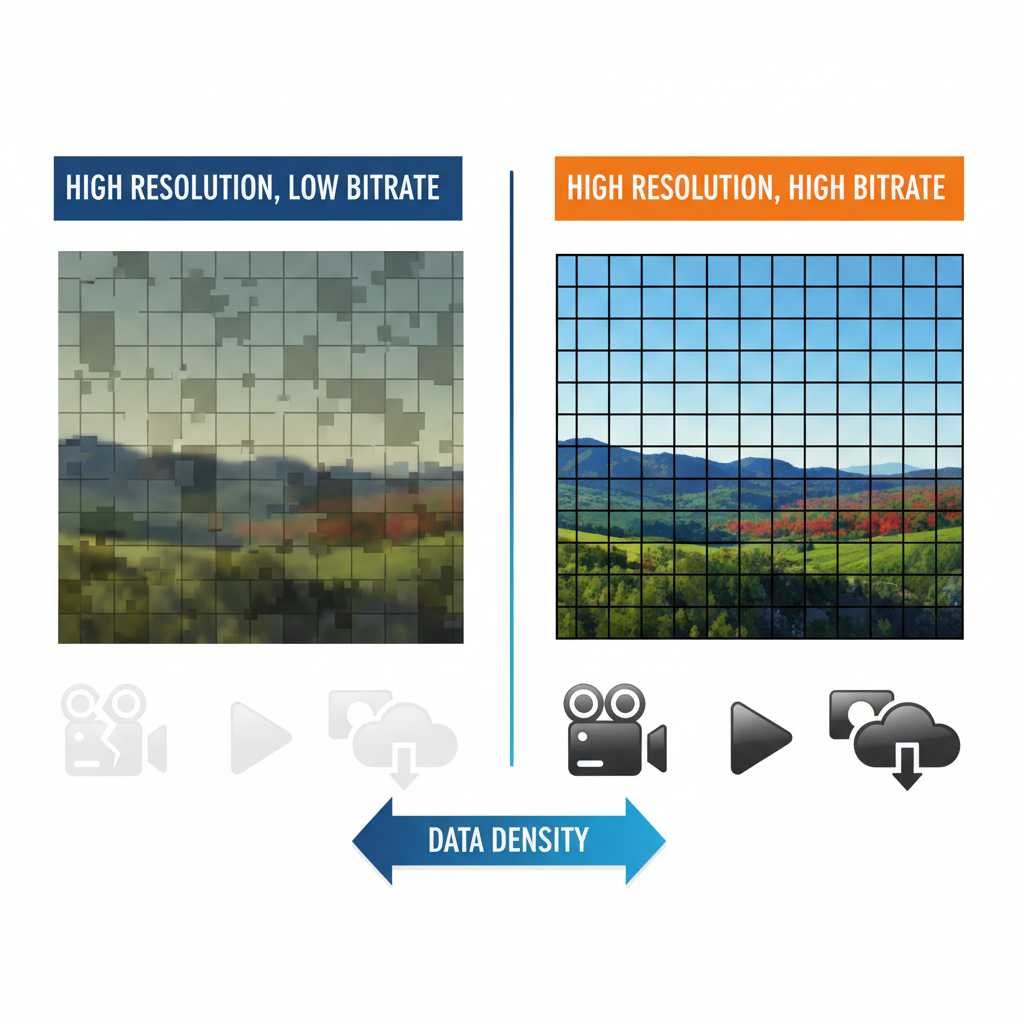
A high bitrate means less compression and fewer artifacts (like blockiness or blurring), resulting in a cleaner, more accurate image representation. Conversely, a low bitrate, even with high resolution, leads to a significant drop in quality because the system has to discard too much information to fit the data into the allotted space.
The Critical Relationship: Resolution, Bitrate, and File Size
The true quality of a video is a function of both resolution and bitrate working together. This relationship is often visualized using the concept of bits per pixel (BPP). If you have a high resolution (many pixels) but a low bitrate (little data), the BPP is low, meaning each pixel is described with very little information, leading to visible compression artifacts.
Example Scenario:
Imagine two videos:
- Video A: 4K resolution (3840x2160) at 5 Mbps.
- Video B: 1080p resolution (1920x1080) at 10 Mbps.
Video A has four times the pixels of Video B, but only half the data rate. Video A will likely suffer from severe blockiness and blurring during motion because the 5 Mbps is spread too thin across millions of pixels. Video B, despite having fewer pixels, will likely look cleaner and sharper due to the higher data density (more bits per pixel).
This is why understanding the required streaming bandwidth is crucial. Streaming services like Netflix dynamically adjust the bitrate based on your internet connection to maintain a consistent playback experience, often sacrificing resolution or quality to prevent buffering.
The Role of Video Compression and Codecs
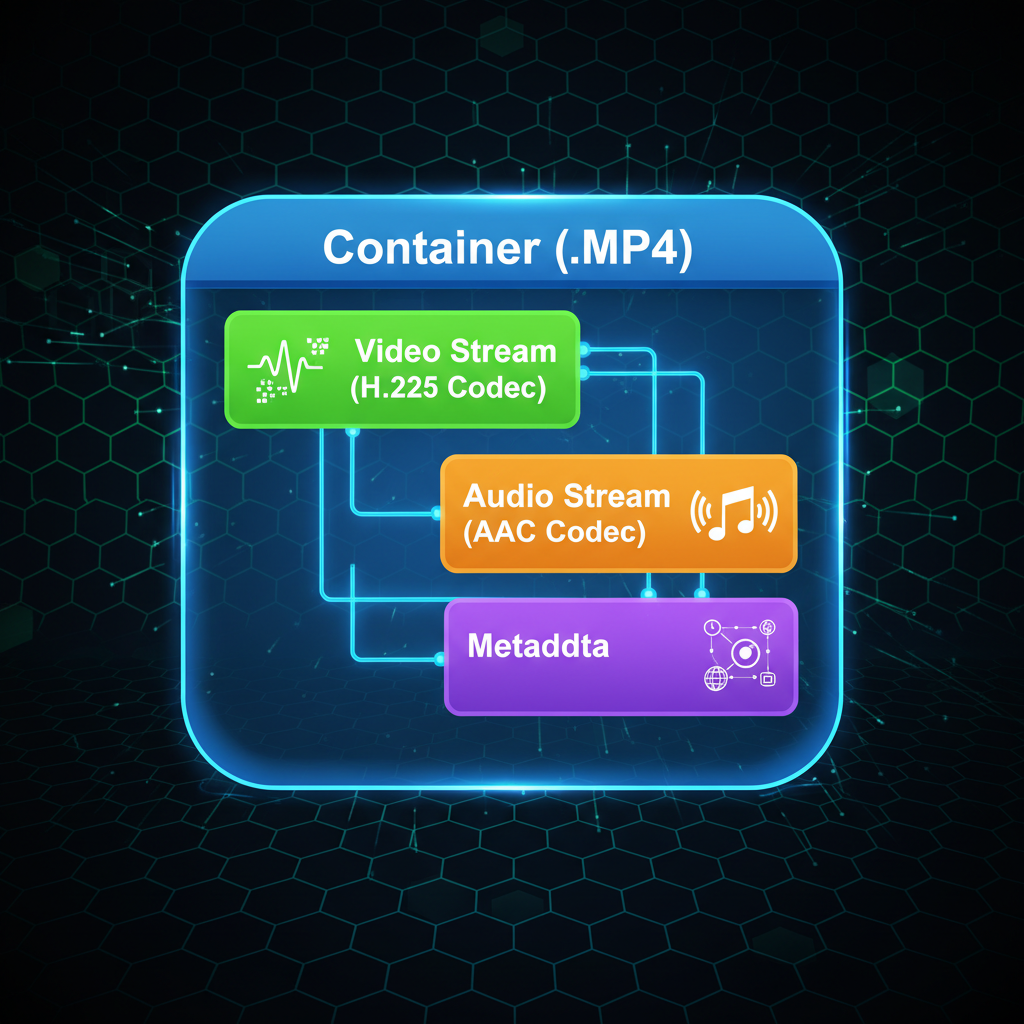
Since raw video data is enormous (a single minute of uncompressed 4K footage can exceed 50 GB), compression is essential for storage and transmission. Codecs (Coder-Decoder) are the algorithms used to compress and decompress video data efficiently.
Key Codecs in Modern Video
- H.264 (AVC): The workhorse of modern video, widely compatible and efficient for 1080p and lower resolutions.
- H.265 (HEVC): Offers significantly better compression efficiency (up to 50% reduction in file size for the same quality) compared to H.264, making it ideal for 4K and higher resolutions. However, it requires more processing power.
- VP9/AV1: Open-source codecs often used by platforms like YouTube and Google, offering high efficiency, particularly AV1, which is becoming the standard for high-quality, low-bandwidth streaming.
The choice of codec heavily influences the final video file size and the necessary bitrate to maintain acceptable quality. A highly efficient codec allows you to achieve better visual quality at a lower bitrate than an older, less efficient one.
Optimizing Video Settings for Different Platforms
When creating or uploading content, optimizing your settings based on the platform's requirements is key to achieving the best digital video quality.
- YouTube/Vimeo: These platforms re-encode your video upon upload. For 4K content, they recommend bitrates between 35-45 Mbps (for standard frame rates) to ensure the re-encoded version retains high quality. Always upload the highest quality source file possible.
- Live Streaming (Twitch/Zoom): Stability is paramount. High bitrates can cause dropped frames or buffering. Most platforms recommend 4,500–6,000 Kbps for 1080p streaming to balance quality and reliability.
- Professional Production: Filmmakers often use extremely high bitrates (e.g., 50 Mbps to 100 Mbps or more) with codecs like ProRes or DNxHR before final compression to preserve maximum detail for editing and color grading.
Ultimately, the perfect settings involve finding the sweet spot where the resolution is high enough for the intended display, the bitrate is sufficient to prevent artifacts, and the codec is efficient enough to keep the file size manageable and the streaming bandwidth requirement reasonable.
Frequently Asked Questions
What is the difference between resolution and bitrate?
Resolution refers to the physical size of the video image, measured in pixels (e.g., 1920x1080). Bitrate refers to the amount of data transmitted per second (e.g., 10 Mbps) and determines the quality of the information stored for those pixels. High resolution with low bitrate results in poor quality, blocky video.
Does a higher resolution always mean better video quality?
No. While higher resolution provides the potential for more detail, the actual perceived quality is heavily dependent on the bitrate. A 1080p video with a very high bitrate (less compression) can often look visually superior to a 4K video with a very low bitrate (heavy compression).
What is the recommended bitrate for 1080p video?
For high-quality, non-streaming 1080p video (30fps), a recommended bitrate is typically between 8 Mbps and 12 Mbps. For professional or archival 1080p content, bitrates can exceed 20 Mbps. For live streaming, 4.5 Mbps to 6 Mbps is common.
How does compression affect video quality?
Compression reduces the overall file size by removing redundant or less noticeable visual data. While necessary for efficiency, excessive compression (often due to a low bitrate) leads to a loss of detail and the introduction of visual defects known as artifacts, such as macroblocking or color banding.
Conclusion
Mastering the art of Video Quality Comparison means moving beyond simple resolution numbers. While 4K sounds impressive, it’s the bitrate and the efficiency of the underlying compression codec that truly define the viewing experience. Remember: a high bitrate compensates for the inherent data loss in compression, ensuring that those millions of pixels actually look sharp and detailed.
By understanding the interplay between resolution, bitrate, and compression, you are now equipped to choose the right settings for your consumption and creation needs. Stop chasing pixel counts and start demanding better data density. Ready to apply this knowledge? Review your current streaming settings or optimize your next video export for maximum fidelity!