Mastering Video Metadata: A Comprehensive Guide to Optimization

Unlock the power of video metadata! Learn what it is, why it's crucial for SEO and discover step-by-step methods for editing and optimizing your video file
Table of Contents
In today's digital landscape, video content reigns supreme. Whether you're a professional filmmaker, a content creator, or a marketer, getting your videos discovered is paramount. But visibility isn't just about compelling visuals; it's deeply rooted in the invisible data surrounding your files—the Video Metadata. Think of metadata as the DNA of your video, providing search engines and platforms like YouTube and Vimeo with essential context. Without proper optimization, even the best content can get lost in the digital abyss. This comprehensive guide will demystify video metadata, explain its critical role in video SEO, and provide actionable steps on how to effectively understand and edit this crucial information to maximize your reach and engagement.
What Exactly is Video Metadata and Why Does It Matter?
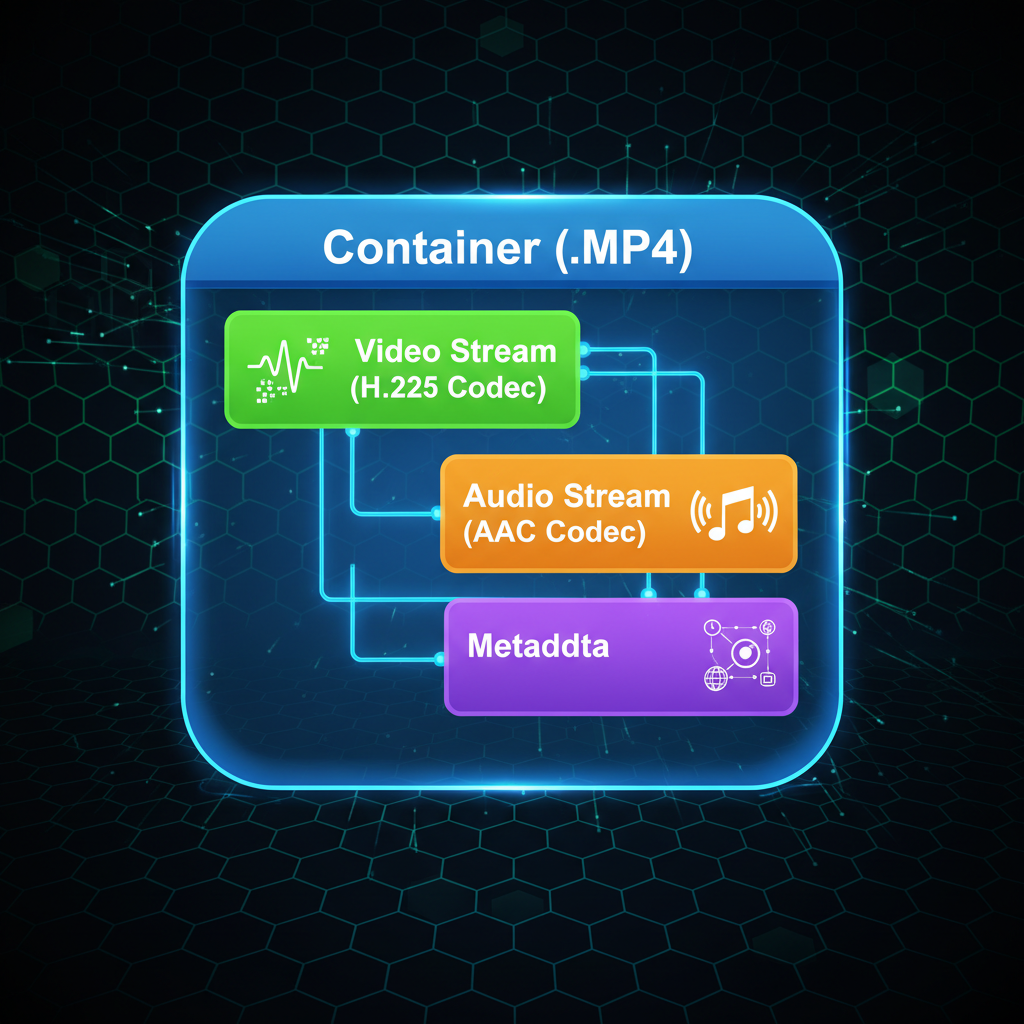
Video Metadata refers to the descriptive and technical information embedded within or associated with a video file. It’s data about the data. This information is invisible to the casual viewer but is heavily relied upon by search algorithms, content management systems (CMS), and media players to categorize, index, and display your content correctly. Understanding its components is the first step toward effective optimization.
The Two Main Types of Video Metadata
- Descriptive Metadata: This is the human-readable information that helps users and search engines understand the content of the video. It includes elements like the video title, description, tags, category, thumbnail, and closed captions. This type is critical for video SEO and user experience.
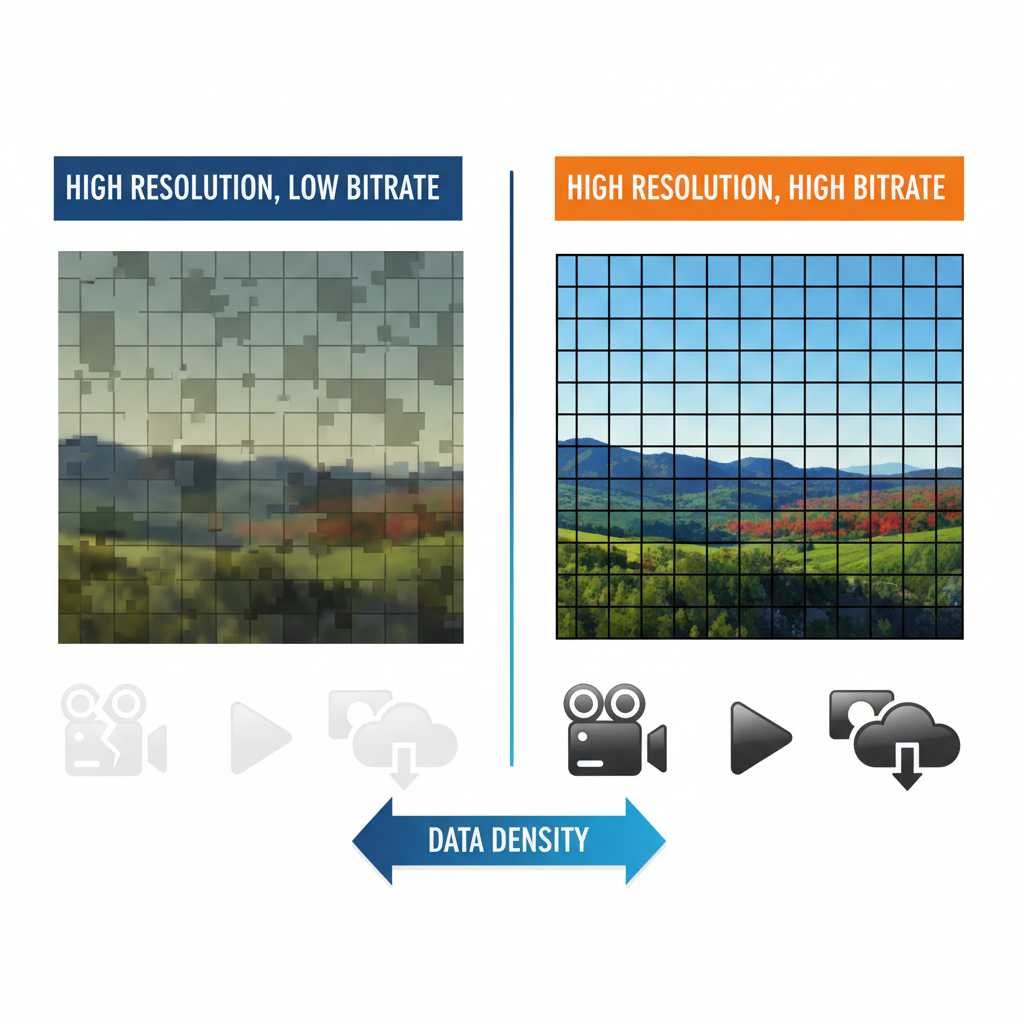
- Technical Metadata: This refers to the data generated by the camera or editing software, detailing the file's specifications. Examples include codec, resolution (e.g., 1080p, 4K), frame rate, bit rate, file size, creation date, and duration. While less directly related to search ranking, technical metadata ensures proper playback and compatibility across devices.
Why is it Crucial? Metadata acts as the primary communication bridge between your video and the search engine. Without accurate and rich metadata, search engines cannot determine the relevance of your content, leading to poor rankings and low discoverability. Properly optimized metadata is the key differentiator between a video that goes viral and one that languishes unnoticed.
The Critical Role of Video Metadata in SEO and Discoverability
For platforms like YouTube (the world’s second-largest search engine) and Google Video Search, metadata is the foundation of their ranking algorithms. Optimizing these fields is non-negotiable for anyone serious about growing their audience.
Key Metadata Elements for SEO Success
Focusing on these elements will yield the most significant SEO benefits:
- Title Tag: This is arguably the most important element. It should be compelling, accurate, and include your primary keyword naturally, ideally near the beginning. Keep it concise (under 60 characters for best display).
- Description Box: Use this space (up to 5,000 characters on YouTube) to provide a detailed summary of the video. Include secondary keywords, timestamps, links to related content, and a clear call-to-action. The first 1-2 sentences are crucial as they appear in search results.
- Tags and Keywords: Tags help categorize your content. Use a mix of broad, specific, and long-tail keywords relevant to your topic. Don't keyword stuff; aim for quality and relevance.
- Thumbnail Image: While not text-based metadata, a custom, high-quality thumbnail is essential. It acts as a visual title tag, dramatically influencing click-through rates (CTR).
- Category and Subcategory: Selecting the correct category helps platforms serve your video to the right audience browsing those topics.
- Closed Captions/Subtitles: Transcribing your video content provides search engines with even more textual data to index, significantly boosting accessibility and SEO.
Pro Tip: Consistency is vital. Ensure the keywords used in your title, description, and tags align perfectly with the actual content of the video.
Step-by-Step Guide to Editing and Optimizing Video Metadata
Editing metadata varies depending on where the video is hosted (e.g., YouTube, CMS) or if you are editing the file properties directly. Here is a breakdown of the common methods.
Method 1: Platform-Specific Metadata Editing (YouTube, Vimeo)
Most content creators primarily manage metadata directly within the hosting platform's dashboard:
- Upload and Wait: Upload your video file. While it processes, begin filling out the metadata fields.
- Keyword Research: Before writing, identify 3-5 high-volume, relevant keywords using tools like Google Keyword Planner or TubeBuddy.
- Craft the Title: Write a title that includes the primary keyword and creates curiosity (e.g., "How to Edit Video Metadata: The Ultimate 2024 Tutorial").
- Write a Detailed Description: Start with a hook, include keywords in the first 150 characters, provide a summary, add timestamps for navigation, and finish with a strong CTA.
- Apply Relevant Tags: Use a mix of short-tail (e.g., "metadata"), long-tail (e.g., "how to edit video file properties"), and competitor/brand tags.
- Select Custom Thumbnail: Upload a visually striking thumbnail (1280x720 pixels, 16:9 ratio).
Method 2: Editing File Properties (Local Metadata)
For videos hosted on your own website or stored locally, you may need to edit the intrinsic file properties. This is crucial for organizational purposes and can sometimes be indexed by search engines if the file is directly linked.
- Windows: Right-click the video file, select 'Properties,' then navigate to the 'Details' tab. Here you can edit fields like Title, Subtitle, Tags, and Comments.
- Mac OS: Select the file, press Cmd+I (Get Info), and expand the 'More Info' section to view and edit properties.
- Professional Tools: Use dedicated media management software like Adobe Bridge, FFmpeg (command line), or specialized metadata editors for more complex technical adjustments.
Important Consideration: When uploading to platforms like YouTube, the platform's metadata fields often override or supplement the local file metadata, but ensuring the local file name is clean and descriptive (e.g., video-metadata-optimization-guide.mp4) is always good practice.
Advanced Strategies for Video Metadata Optimization
To truly outperform competitors, you must move beyond basic title and tag optimization and leverage advanced techniques.
Leveraging Long-Tail Keywords
Instead of just targeting “Video Metadata,” target specific user questions like “how to check video file metadata” or “best software for editing video metadata.” These long-tail phrases often have lower competition and higher conversion rates because they address specific user intent.
Implementing Schema Markup
If you host videos on your own website, implementing VideoObject schema markup is essential. This structured data tells Google exactly what your video is about, enabling rich results (like thumbnails and duration) to appear directly in the SERPs, significantly increasing visibility and CTR. Tools like Google’s Structured Data Markup Helper can assist in implementation.
Analyzing Performance Data
Optimization is an ongoing process. Use analytics tools (YouTube Studio, Google Analytics) to review which titles, tags, and descriptions are driving the most views and engagement. Look at: Traffic Sources (where viewers are coming from), Search Terms (what people typed to find you), and Audience Retention (if the title/description matched the content). Use these insights to refine and update your metadata periodically.
Accessibility Features
Adding accurate closed captions (CC) and transcripts not only improves accessibility for hearing-impaired users but also provides Google with a full text version of your video content to index. This is a massive, often overlooked, SEO boost that functions as a hidden metadata layer.
Frequently Asked Questions
What is the difference between video tags and video categories?
Video tags are specific keywords or phrases that describe the content, context, and topics covered in the video, helping search engines match it to relevant queries. Video categories are broader classifications (e.g., Education, Entertainment, Gaming) used by platforms to organize content and recommend it to users interested in general topics.
Does the video file name affect SEO?
Yes, the video file name is a form of technical metadata and should be optimized. Before uploading, rename your file to include your primary keyword, separated by hyphens (e.g., mastering-video-metadata-guide.mp4). This provides an initial signal to search engines about the video's topic.
How often should I update or review my video metadata?
You should optimize metadata immediately upon publishing. However, it's beneficial to review and update metadata every 3–6 months, especially for evergreen content. Update titles and descriptions based on new keyword trends, seasonal relevance, or poor performance data to maximize long-term visibility.
Can I edit the metadata of a video after it has been published?
Yes, most hosting platforms (like YouTube and Vimeo) allow you to edit descriptive metadata (title, description, tags, thumbnail) at any time after publication without affecting the video's URL or view count. This is a common practice for continuous SEO optimization.
What is VideoObject Schema Markup?
VideoObject Schema Markup is structured data code added to the HTML of a webpage hosting a video. It explicitly tells search engines details like the video's title, description, duration, and thumbnail URL. Implementing this markup enables Google to display rich results (thumbnails and extra details) in search engine results pages (SERPs), boosting click-through rates.
Conclusion
Video Metadata is far more than just administrative data; it is the engine of your video's discoverability. By meticulously optimizing your titles, descriptions, tags, and leveraging advanced techniques like schema markup and detailed analytics, you transform your video from a passive file into an active, high-ranking asset. Remember that search engines reward clarity and relevance. Take the time to understand the data surrounding your content, and you will unlock significant improvements in video SEO, audience reach, and overall engagement. Ready to take control of your video's destiny? Start reviewing and refining the metadata of your existing library today!